
Keep Windows 11 in Plain US English All Day, Convert Bilingual Sentences in One Key
UnimeType for Windows is a native Text Services Framework (TSF) input method that keeps every window in clean half-width US English and converts mixed-language drafts in one shortcut. Instead of battling ghost ENG/US taskbar layouts, accidental Alt+Shift or Ctrl+Shift flips in games, or US-International dead-key apostrophes when typing Spanish, French, German, Chinese, Japanese, Hindi, or Arabic alongside English, you type normally in ASCII and trigger Convert only when a sentence is ready.
Why Windows 11 language bars and US-International dead keys break daily flow
Windows 11 separates display languages, regional formats, and keyboard layouts—often spawning undeletable extra ENG (US) entries in the taskbar tray or flipping layouts mid-work whenever you press Alt+Shift in Figma or Shift while sprinting with WASD in a game.
Meanwhile, European bilingual users who enable the Windows US-International layout to type ñ, é, ü, or ç turn apostrophes (') and quotation marks (") into delayed dead keys that corrupt code strings and English contractions like don't. UnimeType leaves your physical US QWERTY keys completely untouched during ordinary typing, restoring accents or converting Pinyin, Romaji, Hinglish, Arabizi, Cyrillic, Vietnamese, and Greeklish across the whole clause on demand.
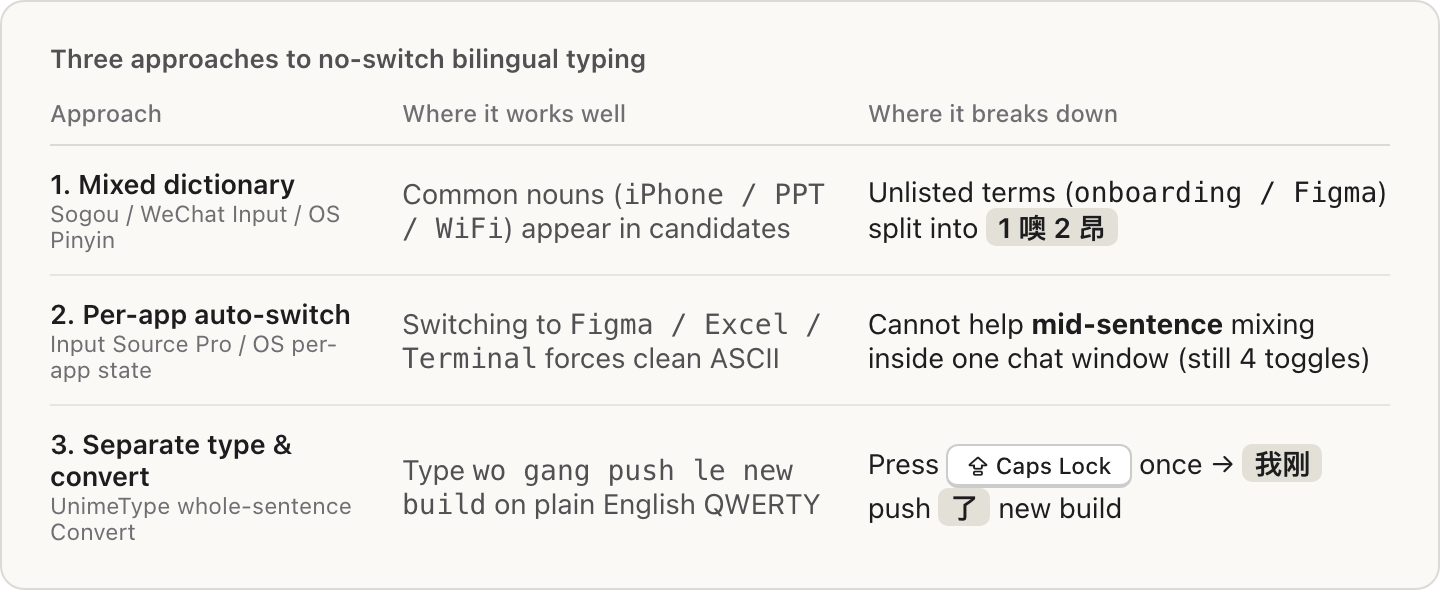
Zero network traffic while typing, plus localhost offline models on PC
Ordinary keystrokes in Excel, browsers, IDEs, and games stay 100% local inside Windows with 0 Bytes of network traffic. UnimeType processes text only when you explicitly invoke Convert, Polish, or Explain.
On Windows desktops and laptops with 16 GB+ RAM or dedicated GPUs, you can also run UnimeType 100% offline by pointing its custom OpenAI-compatible endpoint to localhost via LM Studio, Ollama, or llama-server with our open-weight 0.8B, 4B, or 9B transliteration models on Hugging Face.
When to keep Microsoft Pinyin, Microsoft IME, or Weasel (Rime)
Keep Windows built-in Microsoft Pinyin, Microsoft Japanese IME, or Rime (Weasel) installed when you write long single-language documents where picking rare characters from a live candidate window word by word is faster.
Set UnimeType as your primary everyday keyboard when your Windows workflow jumps constantly between English-shortcut software, spreadsheets, games, and bilingual chat.
Common questions
Does UnimeType stop Shift and Alt+Shift from hijacking games and Figma on Windows 11?
Yes. Because UnimeType stays in plain half-width US English until you press your dedicated Convert shortcut, tapping single-key tools (`V`, `R`, `T`), holding `WASD + Shift`, or typing `12.50` in Excel never pops up an unintended IME candidate bar.
Can I run UnimeType completely offline on Windows 11?
Yes. Load our open-weight 0.8B, 4B, or 9B model in LM Studio or Ollama on `127.0.0.1` and connect UnimeType’s custom endpoint for zero-internet Convert and Reconvert across all 12 supported languages + English.