
UnimeType vs. Google Japanese Input (Mozc): US ANSI Keyboards Without Mode-Switch Whiplash
Google Japanese Input (and its open-source engine Mozc on Linux) has sharper conversion dictionaries than default OS IMEs, yet it still assumes you toggle between Hiragana (あ) and Alphanumeric (A) modes constantly. On a US English laptop or mechanical keyboard without dedicated JIS 英数 and かな thumb keys, jumping between LINE, Figma, Excel, Overleaf, and PC games causes repeated shortcut misfires and accidental full-width Excel text that UnimeType eliminates.
Why Mozc, Apple Live Conversion, and ATOK fight US English keyboards across apps
Japanese hardware keyboards place dedicated 英数 (English) and かな (Kana) keys right under both thumbs so typists switch modes subconsciously. On a US MacBook, Windows laptop, or mechanical board, those keys do not exist—forcing users to cycle through Hiragana, Katakana, and treacherous Full-width Alphanumeric (全角英数) modes.
Even with Mozc’s smart dictionaries or macOS Live Conversion (ライブ変換), switching from LINE into Figma (single-key tools), Excel (half-width formulas), PC games (WASD), or typing English words like Figma, PDF, or Valorant mid-sentence triggers live Kana composition unless you remember to switch modes or press F10.
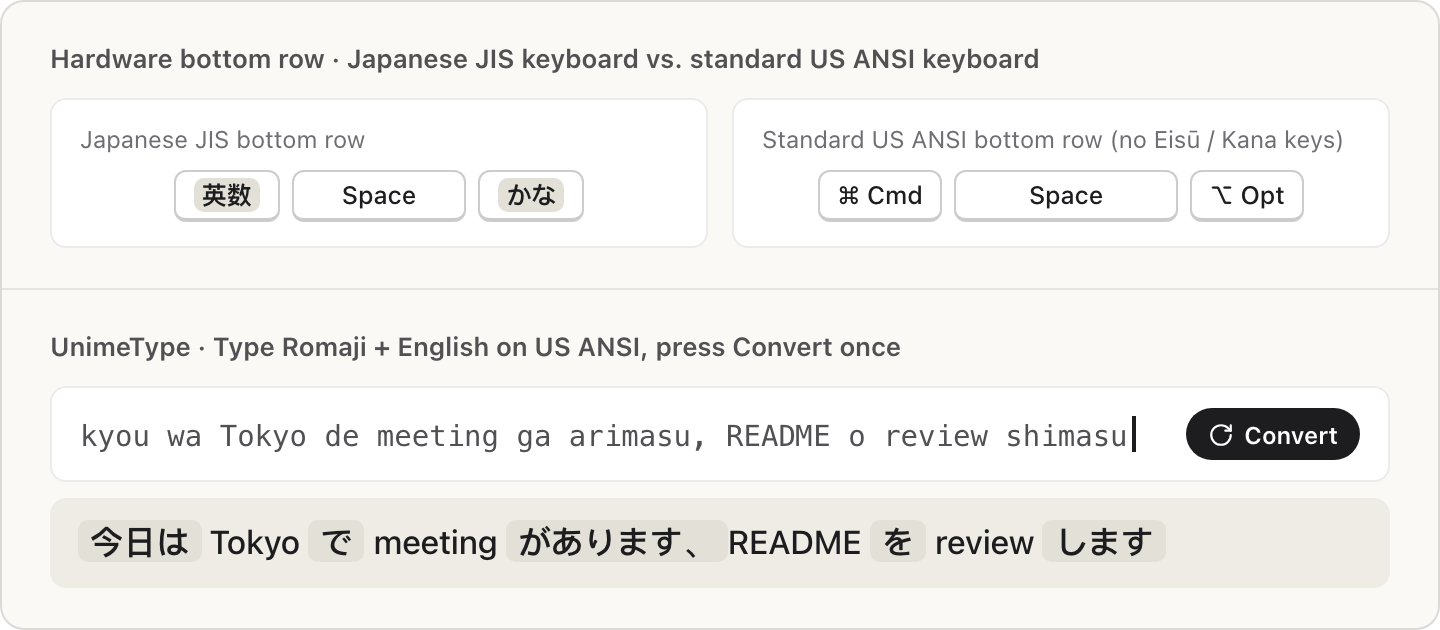
Draft Romaji + half-width English together, then Convert once
UnimeType leaves your keyboard in pure half-width US ASCII from start to finish—meaning your design shortcuts, spreadsheet formulas, WASD controls, and terminal commands never collide with a Kana pre-edit underline.
Type Romaji and English words straight through in one pass and press Convert once. UnimeType disambiguates particles (wa → は, o → を, e → へ) alongside English terms (de in Tokyo de vs. English words), offers both Natural Japanese (Kanji + Kana) and Kana-only output styles, and shares the same workflow across macOS, Windows (beta), Linux (beta), iOS, and Android.
When Google Japanese Input (Mozc) or ATOK is the better choice
Keep Google Japanese Input, Mozc, macSKK, or ATOK when a passage is dense with rare kanji, archaic variants (旧字体), or uncommon proper names where visually picking from a candidate list helps, when you rely on offline personal user dictionaries (辞書登録), or when you touch-type on a physical JIS keyboard.
Add UnimeType when you work on US ANSI hardware across desktop and mobile and spend your day writing bilingual Japanese-English messages in Slack, LINE, GitHub, Teams, or Notion.
Common questions
Can UnimeType output Kana-only Japanese without Kanji for learners?
Yes. UnimeType’s Japanese language settings let you choose between Natural Japanese (standard Kanji and Kana) and Kana-only output while still keeping intentional English words in half-width Latin.