How to Type Japanese on a US English Keyboard Using Romaji
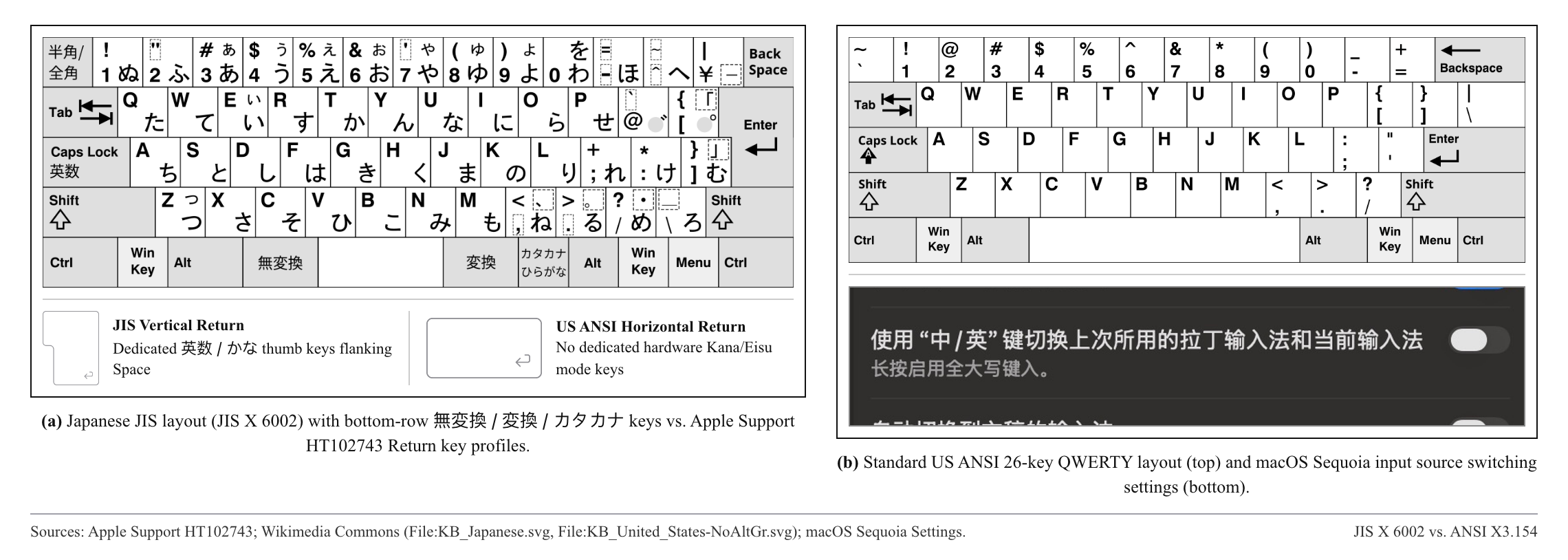
On a standard US English keyboard, you do not have the physical Eisū (英数) and Kana (かな) thumb keys found on Japanese laptops. Depending on what you are writing, you can enable the built-in Romaji input method in your OS settings, use a zero-install browser Kana converter, or type mixed Romaji and English straight through and tap Convert once with UnimeType.
Built-in OS Romaji keyboards and Full-width fixes
When you are writing pure Japanese prose and want to step through Kanji candidates with the Spacebar, enable your operating system’s built-in Romaji input source. On macOS (Apple Support), open System Settings → Keyboard → Input Sources → Edit → + → Japanese, choose "Japanese – Romaji" (not Kana), and immediately uncheck "Full-width alphanumeric" (全角英数) so English never prints in wide characters like test123.
On Windows 11 (Microsoft Support), add Japanese under Settings → Time & language → Language & region, then use Alt + ~ (or click A / あ in the taskbar tray) to toggle between half-width English and Hiragana. On iPhone and Android, add Japanese – Romaji if you prefer QWERTY keys, or the 12-key Kana layout if you want one-handed flick typing.
Browser Kana tools and Google Japanese Input (Mozc)
If you only need to check or copy a single word in Hiragana or Katakana on a borrowed computer, open our free Romaji to Hiragana & Katakana web tool directly in your browser. It converts double consonants (kk → っk), long vowels, and n before consonants immediately without installing an IME.
If you write long technical or pop-culture documents in Japanese on a desktop, Google Japanese Input (Mozc) offers a stronger phrase dictionary than the stock OS input method — though like every live-buffer Romaji IME, it still turns mid-sentence English words like "meeting" into "めえちんぐ" unless you switch modes or press F10 first.
Mixed Romaji and English in one sentence
UnimeType removes the live kana underline and the Eisū/Kana toggle completely. You stay on your normal US English keyboard and type the entire bilingual sentence in plain letters — like "doyoubi 11 ji ni Shibuya de aou. lunch wa pizza, sono ato coffee dou?" — then tap Convert once.
Sentence context converts "doyoubi" into 土曜日 and particles into に, で, and は, while keeping "Shibuya", "lunch", "pizza", and "coffee" in standard half-width English. In Input Languages settings, you can also switch Japanese between "Natural Japanese" (Kanji + Kana) and "Prefer kana" (Hiragana/Katakana only) for learner chats.