
A Russian Phonetic Keyboard Alternative That Keeps US Punctuation and English Intact
UnimeType is a Russian phonetic translit keyboard for Mac, Windows, Linux, iPhone, and Android that converts Latin Russian spelling and English on a standard US QWERTY layout without remapping punctuation keys. Built-in OS Russian Phonetic (ЯВЕРТЫ) layouts crowd leftover Cyrillic letters (Ш, Щ, Ч, Ж, Э, Ю) onto [ ] \ ; ' = and still force a layout toggle before every English word, while web tools like translit.net require copy-pasting from a browser. With UnimeType, you type natural digraphs (sh, shch, ch, zh, ya, yu) alongside English in any app and press Convert once for idiomatic Cyrillic.
Why OS Russian Phonetic (ЯВЕРТЫ) still trips bilingual typists
macOS "Russian – QWERTY" and Windows "Russian – Mnemonic" map A→А, B→Б, and D→Д, yet Russian has 33 Cyrillic letters for 26 Latin keys. The seven leftover letters (Ш, Щ, Ч, Ж, Э, Ю, Ъ/Ё) take over your right-hand punctuation keys ([, ], \, ;, ', =), making normal punctuation, Excel formulas, and Overleaf LaTeX commands a guessing game.
Worse, an OS phonetic layout is still a rigid Cyrillic keyboard mode: forget which layout is active when clicking from Telegram back into Figma, Steam, or Excel—or when typing English words (Cappuccino, Figma, PDF)—and you type gibberish Cyrillic until you backspace and hit the language shortcut.
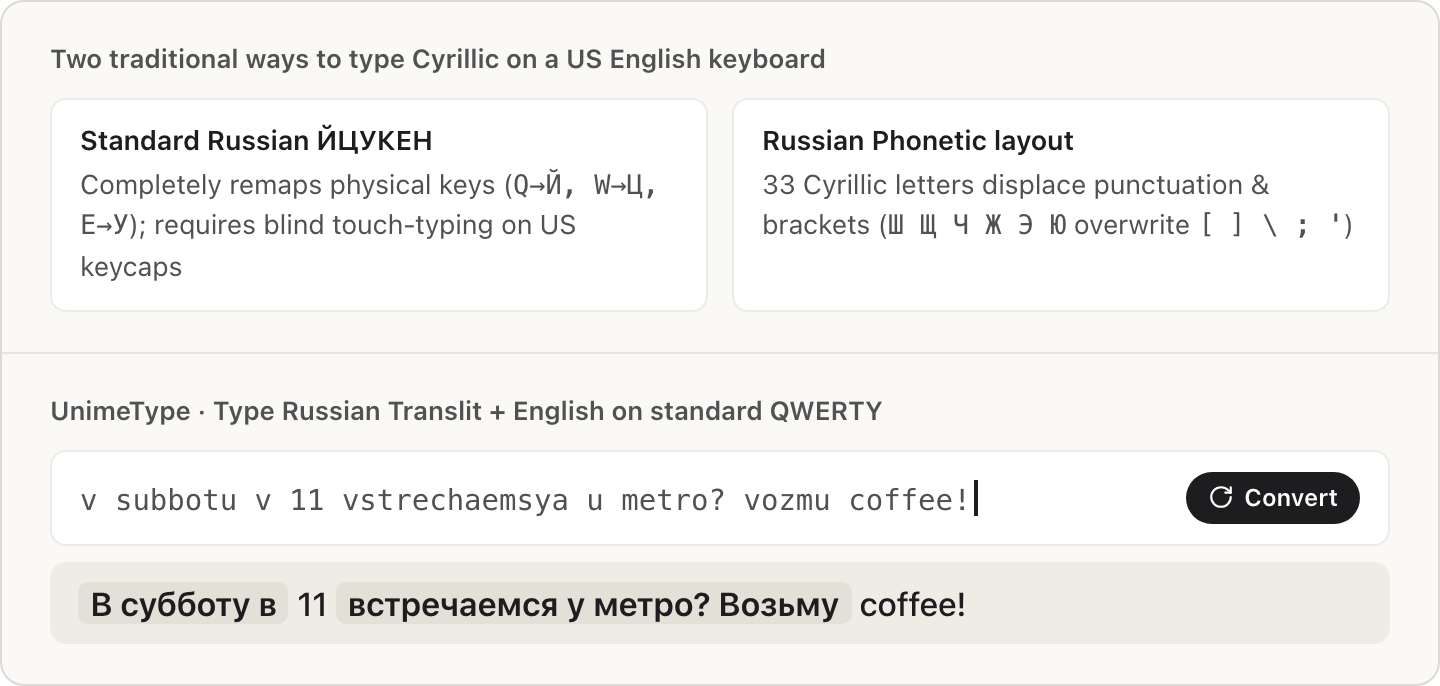
Digraph translit and English words resolved in one pass
Old web translit tools (translit.net) let you use digraphs like sh, ch, zh, and ya, yet apply blind rule tables that turn English words (Figma → Фигма, WhatsApp → ВхатсАпп) into phonetic Cyrillic unless you wrap them in escape brackets or copy-paste from a browser tab.
UnimeType installs natively on macOS, Windows (beta), Linux (beta), iPhone, iPad, and Android. You type natural Russian translit and English side by side, press Convert once, and get idiomatic Cyrillic—including soft signs (ь), ё vs. е, and intact English tokens.
When native JCUKEN or OS Phonetic is the better fit
If you already touch-type JCUKEN on physical Cyrillic keycaps without mixing English terms, or work on offline corporate-managed machines, your operating system’s built-in Russian keyboard needs no network connection and works everywhere.
Use UnimeType on unmarked US ANSI laptops, 60% mechanical keyboards, and bilingual Slack, Telegram, or GitHub threads where Russian and English share every other sentence.
Common questions
Do I have to memorize special apostrophe rules for Russian soft signs (ь)?
No. UnimeType infers standard Russian orthography—including soft signs like проверь or возьму and ё/е distinctions—from the surrounding Russian sentence.